

Maatwerk Mobiele App-ontwikkeling voor Civiele Techniek
NEXATEK ontwikkelt mobiele applicaties voor iOS en Android die ontwerp, rapportage en gegevensregistratie automatiseren, offline werken en records synchroniseren met kantoorsystemen.
Veldworkflows en Locatieactiviteiten

Ontwerp en Berekening

Offline Gegevensvastlegging en Synchronisatie
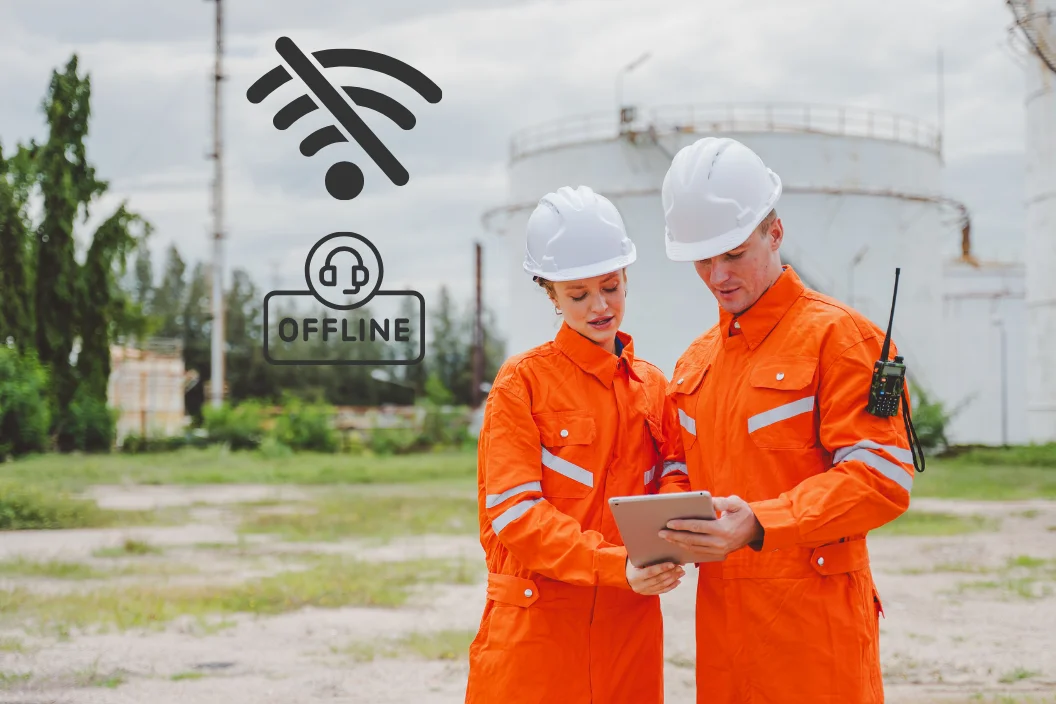
Veldgegevensverzameling en Locatierapporten

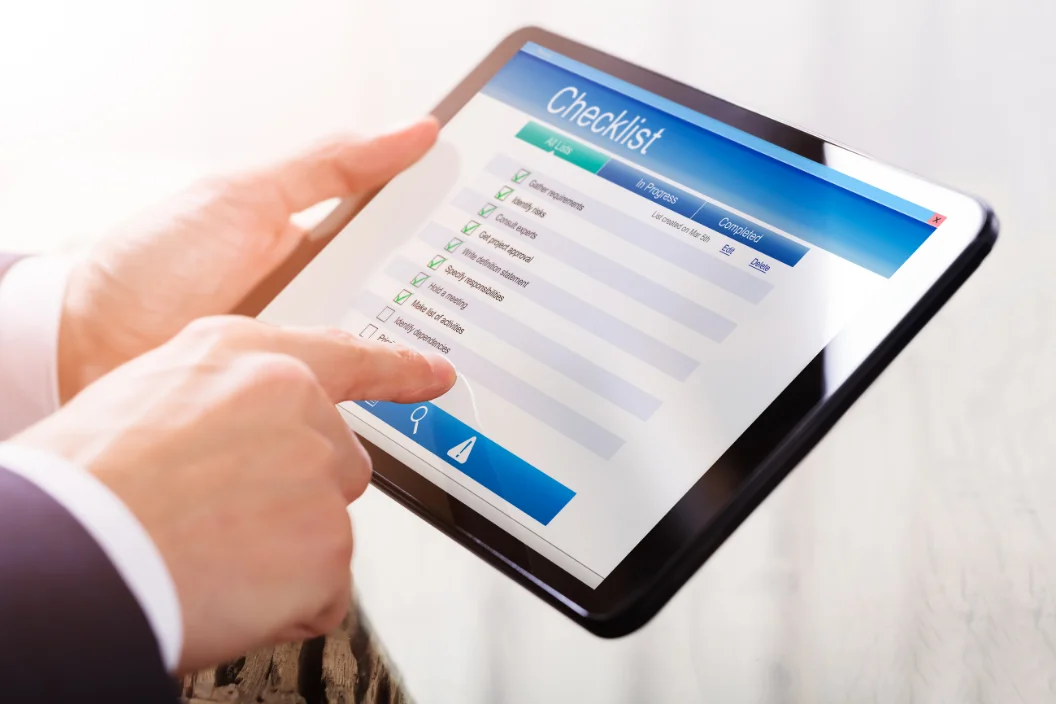
Inspectie, Rapportage en Checklists
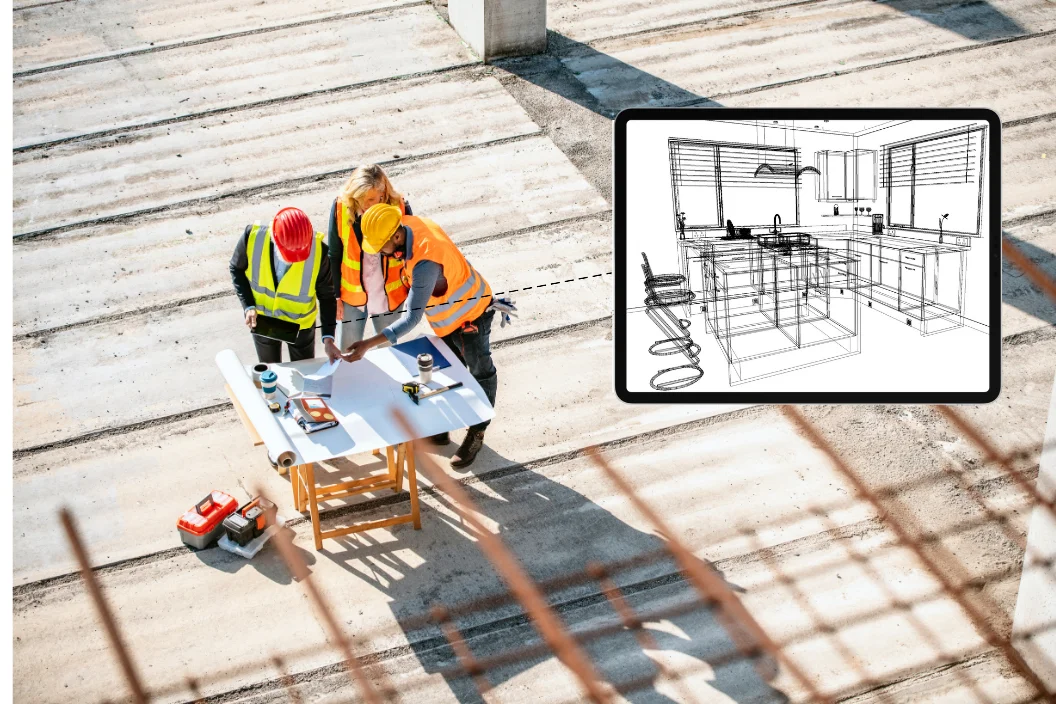
Toegang tot Tekeningen, Plannen en Technische Gegevens
Vergelijkbare projecten
Ontdek meer innovatieve projecten:



Geweldige
Oplossingen
Beginnen Met Een GesprekGeweldige Oplossingen Beginnen Met Een Gesprek
Wilt u ontdekken hoe onze diensten uw bedrijf kunnen laten groeien?
Maatwerk mobiele app-ontwikkeling voor de civiele techniek
Maatwerk mobiele app-ontwikkeling voor de civiele techniek dicht een fundamentele kloof: de meeste civieltechnische data ontstaat buiten op de bouwplaats, terwijl de primaire softwaresystemen op kantoor draaien. Een verdichtingsmeting die om 10:00 uur op papier wordt genoteerd, bereikt de projectdatabase vaak pas twee dagen later. Tegen die tijd is de volgende ophooglaag meestal al aangebracht. Mobiele applicaties die zijn ontworpen rondom de werkelijke uitvoeringsprocessen leggen deze meetwaarden eenmalig vast aan de bron en synchroniseren ze direct met kantoor.
Generieke tools gaan uit van een stabiele internetverbinding en grote beeldschermen – twee voorwaarden die een actieve bouwlocatie zelden biedt. De onderstaande paragrafen beschrijven wat maatwerkontwikkeling inhoudt binnen een civieltechnische context en tonen hoe deze applicaties passen binnen een breder traject voor digitale transformatie in de civiele techniek. NEXATEK benadert dit werk primair vanuit de civieltechnische ingenieursdiscipline en secundair vanuit softwareontwikkeling.
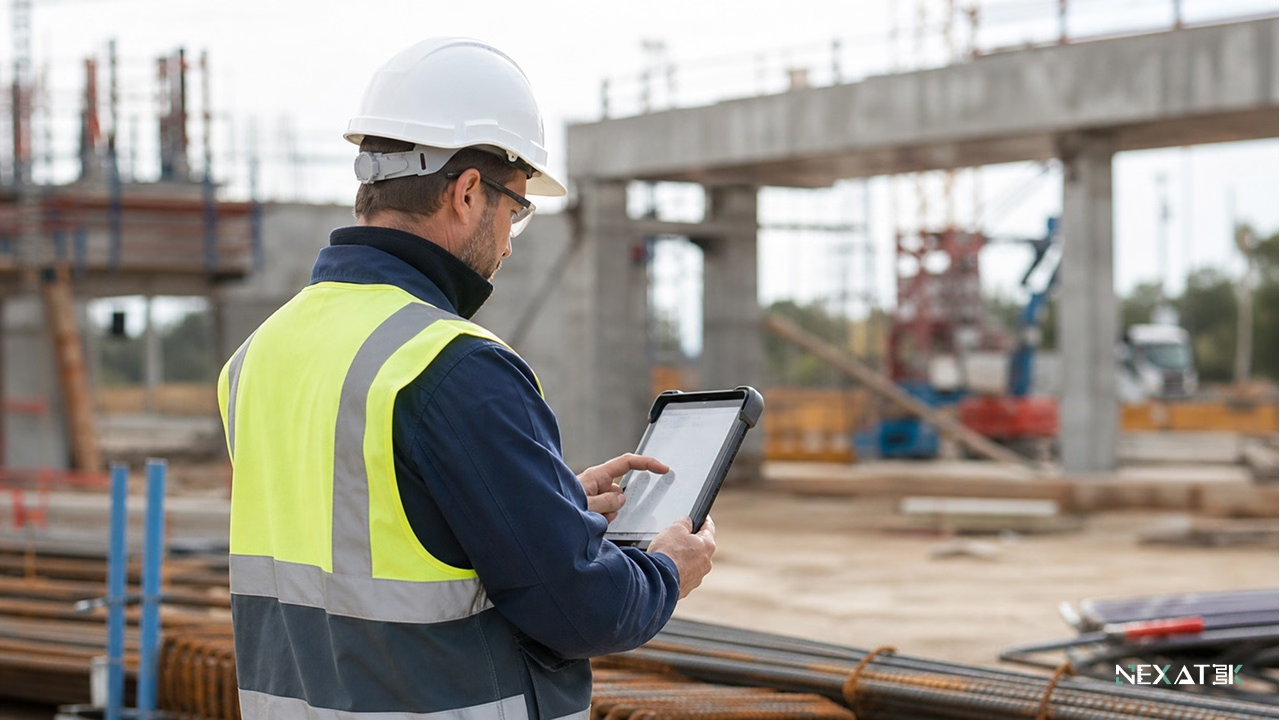 Robuuste mobiele apps leggen civieltechnische data direct vast op de locatie waar het werk plaatsvindt.
Wat houdt maatwerk mobiele app-ontwikkeling in binnen de civiele techniek?
Maatwerk mobiele app-ontwikkeling in de civiele techniek betekent dat de applicatie wordt ontworpen rondom de specifieke ingenieurs- en uitvoeringsprocessen, in plaats van dat het werkproces moet worden aangepast aan een standaard softwarepakket. Het vertrekpunt is altijd een fysieke gegevensdrager uit het werk: een boorpalenstaat, een stortbon of het dagelijkse uitvoerdersdagboek. Elk scherm in de applicatie weerspiegelt die specifieke gegevensdrager.
Structuur weegt zwaarder dan het aantal knoppen of toeters en bellen. Een inspectie-app presenteert bijvoorbeeld de specifieke keuringslijst voor het actuele keuringspunt (hold point), koppelt foto's direct aan coördinaten en een tijdstempel, en stuurt het record automatisch door ter formele aftekening door de toezichthouder of hoofdingenieur. Goedkeuringsflows en gebruikersrollen volgen exact de contractuele hiërarchie die reeds binnen het project geldt.
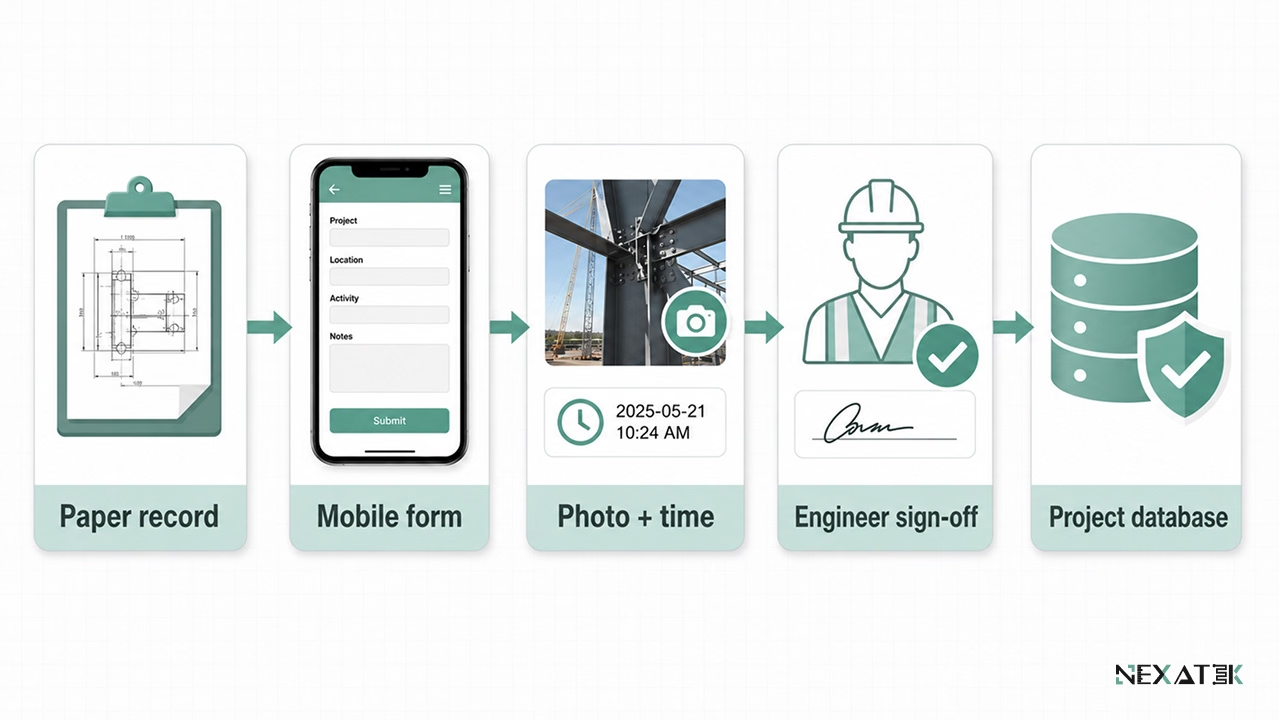 Een effectieve veld-app weerspiegelt eerst het technische procesdocument en voegt daar vervolgens structuur, validatie en fiatteringsflows aan toe.
Ook de fysieke omstandigheden op de bouwlocatie dicteren het technisch ontwerp: Ingenieurs en uitvoerders werken in stof, felle zon en vaak met werkhandschoenen aan. Gebruikersinterfaces vereisen daarom grote touch-elementen en invoerformulieren die in minder dan twee minuten kunnen worden afgerond. Netwerkverbindingen worden standaard als instabiel behandeld – een essentieel verschil met consumenten-apps die uitgaan van een continue online verbinding.
Waarom de civiele techniek maatwerk mobiele applicaties vereist
Besluiten op het projectkantoor zijn slechts zo betrouwbaar als de onderliggende gegevens uit het veld. Meer- en minderwerkclaims, termijnbetalingen, afwijkingsrapporten (NCR's) en revisiedossiers (as-built) steunen allemaal op wat buiten op de bouwplaats is geconstateerd en vastgelegd.
Buitenwerkzaamheden en operationele processen op de bouwplaats
Het leeuwendeel van alle projectdata ontstaat aan het werkfront. Inspecteurs controleren de ondergrond, uitvoerders accorderen verwerkte hoeveelheden en hoofduitvoerders lossen raakvlakconflicten op tijdens de montage. Papieren formulieren en versnipperde chatberichten introduceren vertraging en overnamefouten bij elke overdracht.
Een gestructureerd mobiel invoerformulier voorkomt deze faalkosten: Verplichte velden kunnen niet worden overgeslagen, eenheden liggen vast en elke invoer bevat automatisch de auteur, tijdstempel, GPS-locatie en fotobewijs. Een geregistreerde wapeningsafstand van 150 mm blijft 150 mm; niemand kan later een handgeschreven getal verkeerd interpreteren.
Vastlegging aan de bron voorkomt tevens dubbel werk. Na synchronisatie werkt de werkvoorbereiding direct met het brondatabestand in plaats van gegevens handmatig over te moeten typen, wat een volledige administratieve stap uit de dagelijkse rapportagecyclus snijdt.
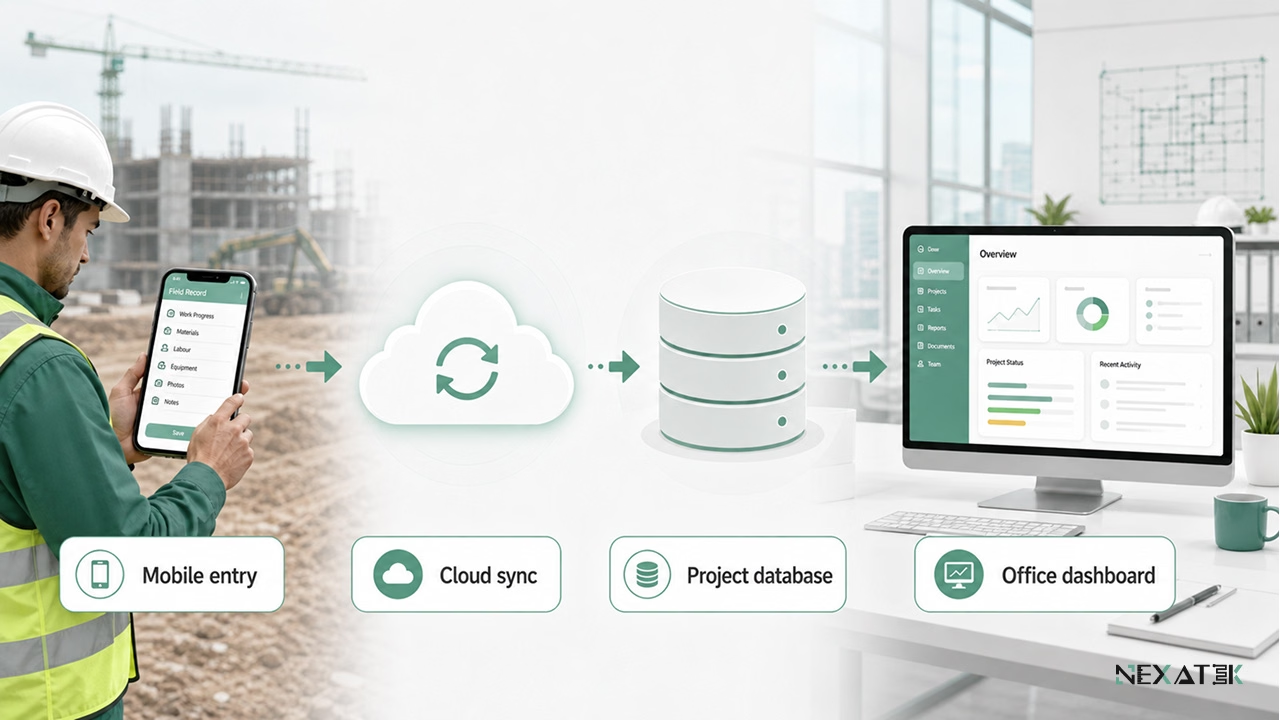
Eenmalige registratie aan de bron transformeert waarnemingen buiten in gestructureerde kantoordata zonder overtypen.
Beperkingen van desktopsoftware en generieke mobiele tools
Desktopsoftware vereist een stabiel computernetwerk en een bureau. Rapportages binnen een uitsluitend op desktop gerichte werkwijze wachten daardoor totdat de ingenieur terugkeert in de directiekeet – vaak pas uren nadat de waarneming plaatsvond. In die tussentijd vervagen cruciale details.
Generieke mobiele tools introduceren een ander knelpunt: traditionele desktopmenu's die zijn verkleind naar een telefoonscherm. Het registreren van één observatie vergt vaak acht stappen door geneste dropdownmenu's. Bovendien bevatten deze formulieren velden die binnen het project volstrekt irrelevant zijn, terwijl specifieke civieltechnische velden – zoals de aanduiding van een betonmengsel – ontbreken.
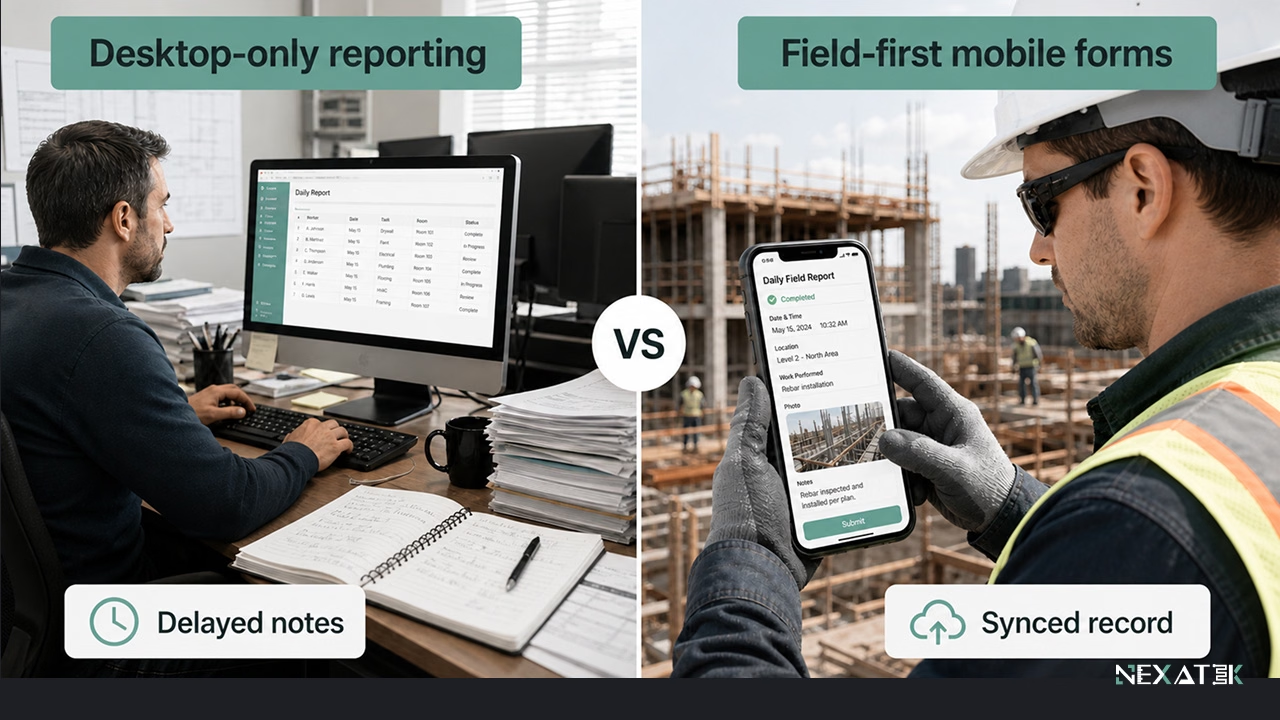 Veldgerichte mobiele invoermaskers verminderen vertragingen door waarnemingen direct vast te leggen voordat details verloren gaan.
Kernfuncties van civieltechnische mobiele apps
Vier kernfuncties dekken het leeuwendeel van de mobiele behoeften op civiele projecten af. Elk van deze functies vervangt een handmatige routine die momenteel onnodig veel tijd kost van het bouwplaatspersoneel.
Velddataverzameling en uitvoerdersdagboeken
Apps voor velddataverzameling leggen waarnemingen vast aan de bron: meetwaarden, materiaaltoestand, weersomstandigheden en uitvoeringsstatus. Foto's worden automatisch gekoppeld met locatie en tijdstempel, zodat een afgekeurde verdichtingsproef zichzelf direct documenteert.
Uniformiteit over verschillende ploegen heen is de tweede grote winst. Wanneer elk team hetzelfde digitale formulier hanteert, kunnen maandelijkse hoeveelheden zonder handmatige opschoning worden geconsolideerd, en vormt de verzamelde data een integraal doorzoekbaar projectarchief.
Inspecties, rapportages en keuringslijsten
Keuringslijsten transformeren bouwplaatsinspecties tot gestandaardiseerde, herhaalbare procedures. De app toont de criteria in de juiste volgorde, blokkeert afronding totdat alle verplichte controlepunten zijn ingevuld, en koppelt het keuringsresultaat direct aan het betreffende kunstwerk of tracé-segment.
De rapportage volgt direct uit de afgeronde keuring. Een wapeningsinspectie die om 14:30 uur buiten wordt goedgekeurd, kan diezelfde middag nog als formeel PDF-keuringsrapport bij de projectmanager liggen – in plaats van twee dagen later als onduidelijke scan.
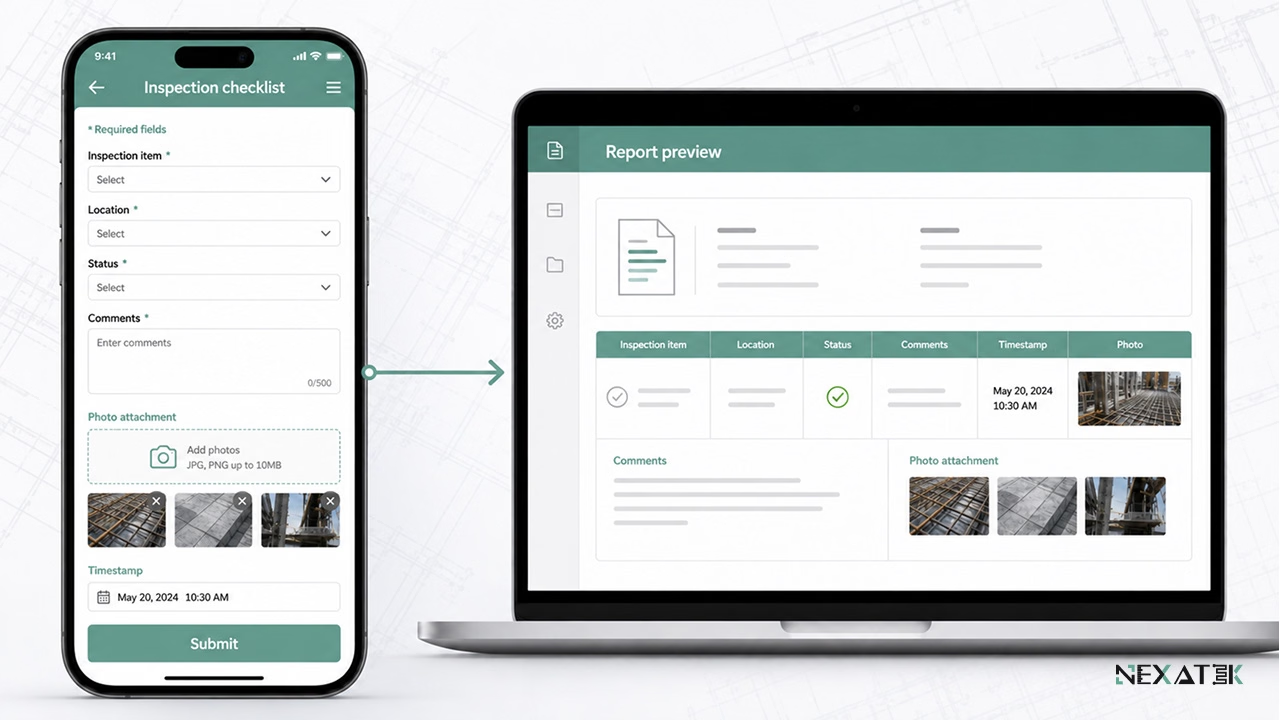 Mobiele keuringslijsten verbinden inspectiebevindingen, foto's, tijdstempels en rapportages binnen één gestructureerd record.
Toegang tot tekeningen, modellen en technische gegevens
Bouwen volgens een verouderde revisietekening behoort tot de kostbaarste faalkostenbronnen in de uitvoering. Mobiele documenttoegang minimaliseert dit risico doordat het systeem uitsluitend de actueel vrijgegeven revisie toont; eerdere versies blijven beschikbaar in het archief, maar worden expliciet als vervallen gemarkeerd.
Het beheer blijft gecentraliseerd op kantoor: Buitenpersoneel raadpleegt goedgekeurde werktekeningen en werkplannen mobiel, terwijl revisiebeheer strikt verloopt via het overkoepelende documentmanagementsysteem.
Communicatie tussen bouwplaats en kantoor
Berichten die direct gekoppeld zijn aan specifieke dossiers werken vele malen effectiever dan algemene chatgroepen. Wanneer een technische vraag over een poer direct linkt naar het bijbehorende keuringsrapport en detailfoto's, overziet de constructeur op kantoor direct de volledige context.
De ingenieurs op kantoor volgen dezelfde communicatielijnen via webgebaseerde applicaties, waardoor een inhoudelijke vraag vanaf de bouwplaats en het formele antwoord op één centrale locatie geborgd blijven.
Maatwerk mobiele apps vs. generieke bouw-apps
Functielijstjes doen generieke bouw-apps op papier vaak compleet lijken. Het doorslaggevende criterium voor maatwerk mobiele app-ontwikkeling in de civiele techniek is echter afstemming: hoe nauwkeurig sluit het datamodel aan op de manier waarop een civiel project daadwerkelijk wordt gemeten, gekeurd en gerapporteerd.
Beperkingen van one-size-fits-all bouwsoftware
Standaardapplicaties bedienen een brede markt, waardoor invoerschermen slechts binnen rigide kaders aanpasbaar zijn. Een team dat het restvochtgehalte van een kunstwerkdek moet registreren voorafgaand aan het aanbrengen van een bitumineuze afdichting, vindt in standaardapps vaak nergens een passend invoerveld.
Terminologische frictie is het gevolg. Wanneer het datamodel de specifieke bestekscoderingen en keuringstypen van het project mist, wijkt het personeel uit naar vrije tekstvelden of losse Excel-lijsten. Daarmee daalt de datakwaliteit direct op de plekken waar betrouwbare structuur het hardst nodig is.
Voordelen van apps ontworpen voor civieltechnische workflows
Doelgerichte maatwerk-apps vertrekken vanuit de beproefde projectdocumenten: de specifieke keuringsformulieren, meetstaten, testregimes en besteksnomenclatuur. Mobiele invoer belandt rechtstreeks in de centrale projectdatabases, exact in de structuur die kantoor al hanteert.
Flexibiliteit bij verandering is een ander voordeel. Stelt een opdrachtgever nieuwe rapportage-eisen of wordt een aanvullend testprotocol voorgeschreven, dan beweegt de maatwerk-app direct mee met de contractuele eis zonder dat er omslachtige workarounds nodig zijn.
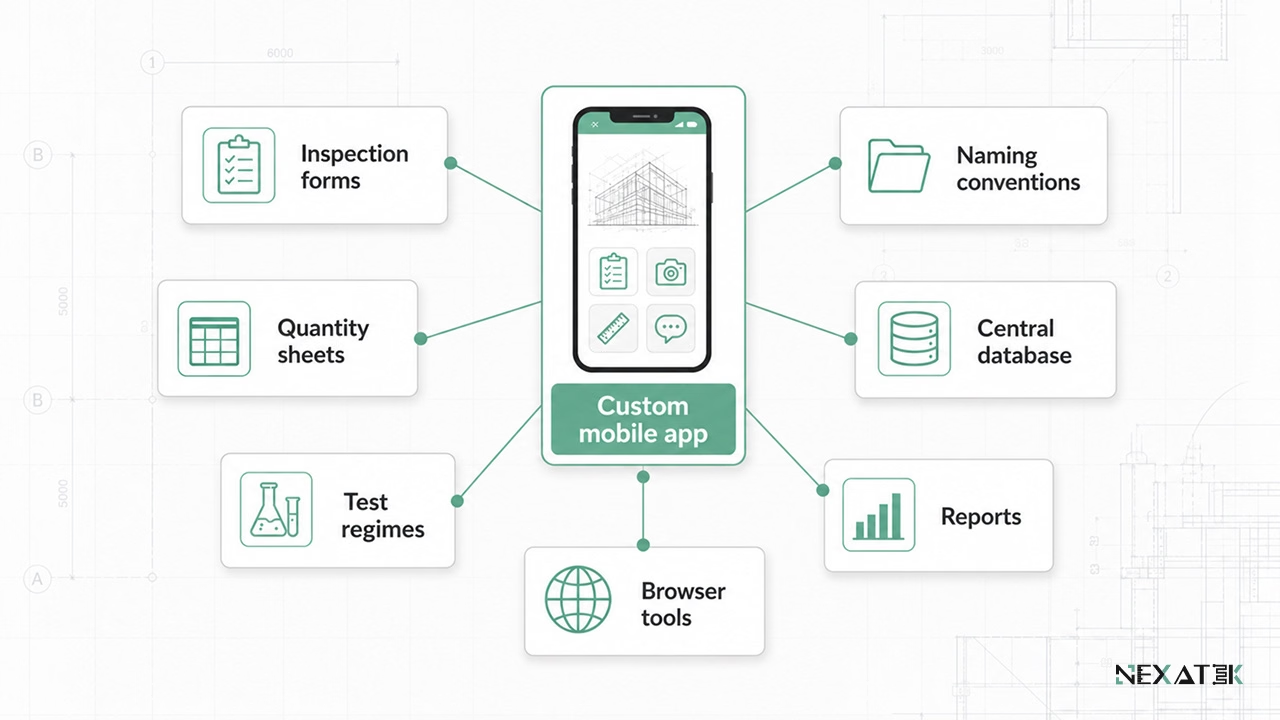 Maatwerk mobiele apps houden velddata exact gesynchroniseerd met de formulieren, coderingen, rapportages en databases van het project.
Belangrijke ontwerpaspecten voor civieltechnische mobiele apps
Beslissingen die vóór de softwareontwikkeling worden genomen, bepalen of een inspectie-app buiten daadwerkelijk wordt omarmd of na enkele dagen wordt genegeerd. Drie randvoorwaarden zijn bepalend voor het succes.
Offline-werking en datasynchronisatie
Netwerkverbindingen vallen steevast weg op de meest kritieke locaties – zoals in tunnels, verdiepte liggingen of afgelegen poldergebieden. Offline-first applicaties behandelen netwerkdekking als optioneel: elke invoer wordt allereerst lokaal op het apparaat opgeslagen. Synchronisatie start automatisch zodra er verbinding is; de wachtrij wordt naar de cloud gestuurd en actuele documenten worden binnengehaald.
Conflicthantering vereist heldere regels: Bewerken twee inspecteurs offline hetzelfde keuringsrecord, dan signaleert het cloudsysteem de botsing en behoudt het beide versies, in plaats van geruisloos data te overschrijven.
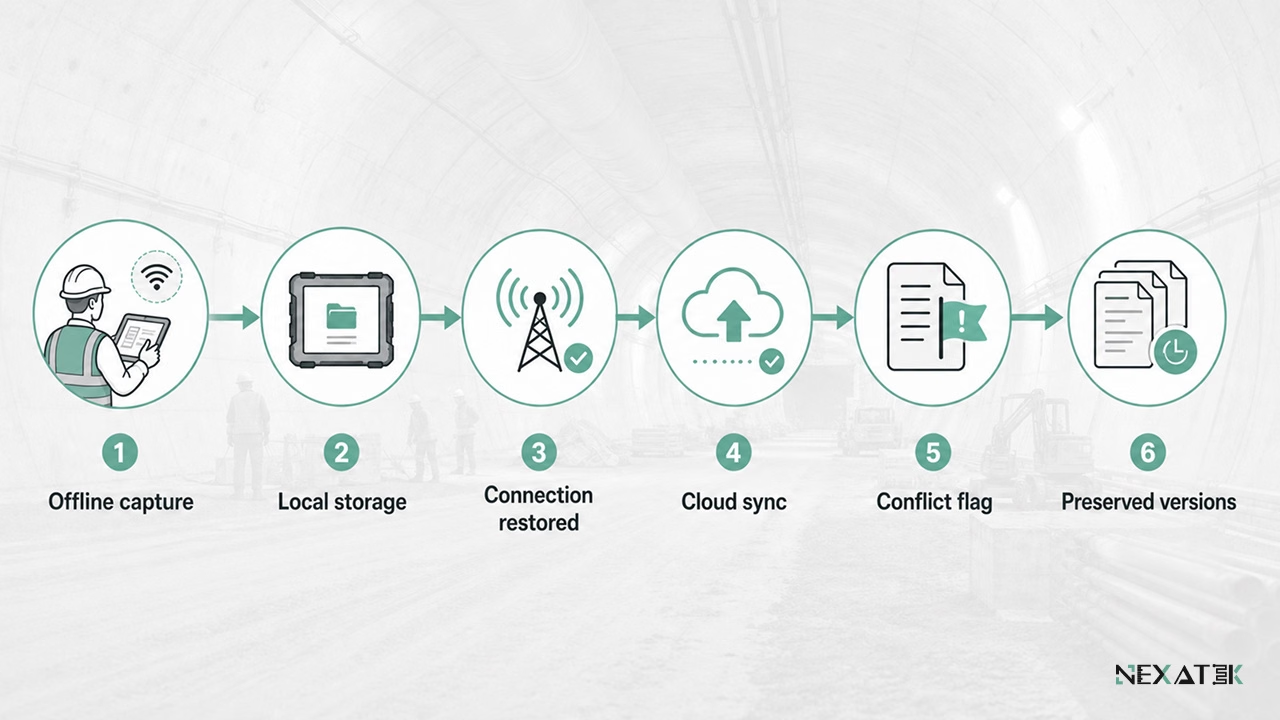 Een offline-first ontwerp waarborgt de integriteit van bouwplaatsdata bij zwakke of ontbrekende netwerkdekking.
Gebruiksgemak voor ingenieurs en bouwplaatspersoneel
De gebruikerspopulatie op de bouwplaats varieert van jonge ingenieurs tot ervaren uitvoerders met weinig affiniteit voor software. Een app slaagt voor deze diverse groep wanneer elk scherm slechts één duidelijke taak faciliteert en validatieregels fouten direct bij invoer afvangen.
De benodigde instructietijd is de ultieme toets: Een digitaal formulier dat het vertrouwde papieren inspectieformulier nauwgezet volgt, kan tijdens een korte toolboxmeeting worden uitgelegd. Complexe, abstracte menustructuren vergen daarentegen weken training en lokken administratieve omwegen uit.
Datakwaliteit en versiebeheer
Betrouwbaarheid begint bij de invoer: Verplichte velden, vaste eenheden, gedwongen volgordes en plausibiliteitscontroles voorkomen registratiefouten aan de bron. Een zetmaat die abusievelijk als 700 mm wordt ingevoerd in plaats van 70 mm, genereert direct een foutmelding en belandt niet onopgemerkt in de rapportages.
Revisiebeheer borgt het dossier na afloop: Elke bewerking behoudt zijn mutatiehistorie en elke tekening voert zijn revisieletter mee, zodat de organisatie ook jaren na de oplevering exact kan aantonen wie wat op welk moment heeft gekeurd en goedgekeurd.
Toepassingen binnen de civieltechnische keten
Mobiele veld-apps verschillen van opzet afhankelijk van de organisatie die ze inzet. Drie patronen typeren de praktijk van de ondernemingen waarmee NEXATEK samenwerkt.
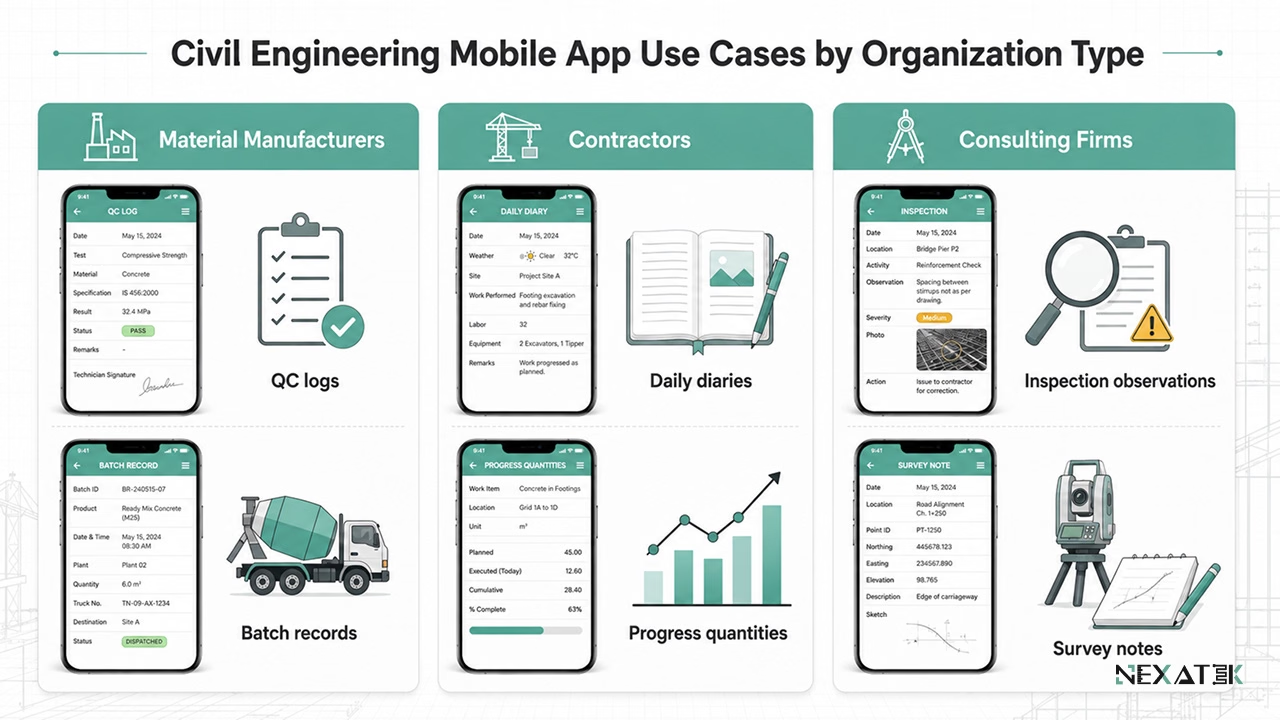 Verschillende partijen in de civiele techniek benutten mobiele apps voor uiteenlopende doeleinden – allen steunend op gestructureerde dataverzameling aan de bron.
Materiaalproducenten en kwaliteitsborging op de bouwplaats
Fabrikanten van bouwmaterialen zijn afhankelijk van een correcte verwerking op de bouwplaats om garanties te kunnen onderbouwen. Een mobiele kwaliteits-app legt ondergrondtemperaturen, batchnummers, verwerkingscondities en toleranties direct vast. Hierdoor reageert de technische helpdesk op basis van feitelijke data in plaats van vage herinneringen.
Ook het productieproces binnenshuis profiteert: In de fabriek ondersteunt mobiele dataverzameling de mengseldosering en eindcontroles vóór transport, veelal ingebed in een breder programma voor procesoptimalisatie.
Aannemers en infrabouwers
Aannemers coördineren tientallen ploegen en onderaannemers over meerdere actieve werken. Dagrapporten, productiehoeveelheden, afwijkingen en urenregistraties worden mobiel vastgelegd en direct gesynchroniseerd met de bedrijfssystemen op het hoofdkantoor.
Uitvoerders besparen hiermee dagelijks veel tijd: Een dagrapport dat automatisch wordt gegenereerd uit de gedurende de dag ingevoerde mobiele mutaties, vervangt drie kwartier handmatig typewerk in de keet aan het einde van de werkdag.
Ingenieurs- en adviesbureaus
Ingenieurs- en adviesbureaus verdelen hun tijd tussen inspecties buiten en constructieve analyses op kantoor. Gestructureerde dataverzameling tijdens inspecties of opnames verkort de doorlooptijd van rapportages aanzienlijk: waarnemingen komen kant-en-klaar gesorteerd, georefereerd en voorzien van fotobewijs binnen op kantoor, klaar voor directe integratie in de adviesrapportage.
NEXATEK ontwikkelt deze mobiele toepassingen door civiel ingenieurs zij aan zij te laten werken met softwareontwikkelaars, waardoor het datamodel vanaf het eerste prototype naadloos aansluit op de rauwe praktijk van de bouwplaats.