

Skreddersydd Utvikling av Mobilapper for Anleggsteknikk
NEXATEK utvikler mobilapplikasjoner for iOS og Android som automatiserer design, rapportering og dataregistrering, fungerer offline og synkroniserer poster tilbake til kontorsystemer.
Arbeidsflyt i Felt og Operasjoner på Stedet

Design og Beregning

Offline Datafangst og Synkronisering
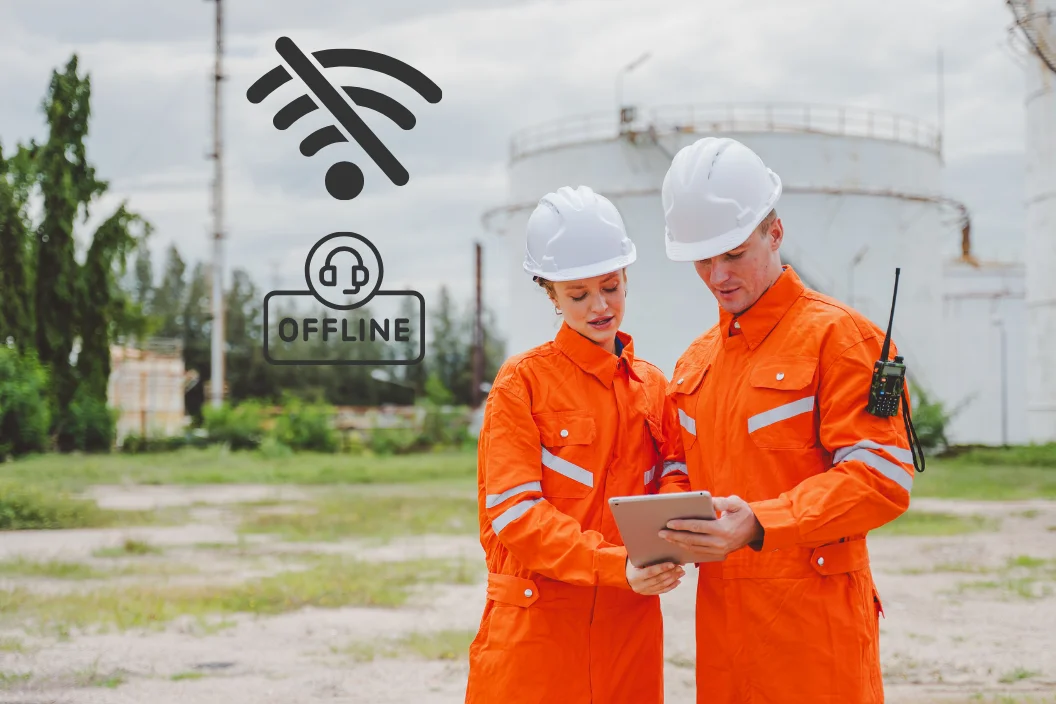
Datainnsamling i Felt og Logger fra Stedet

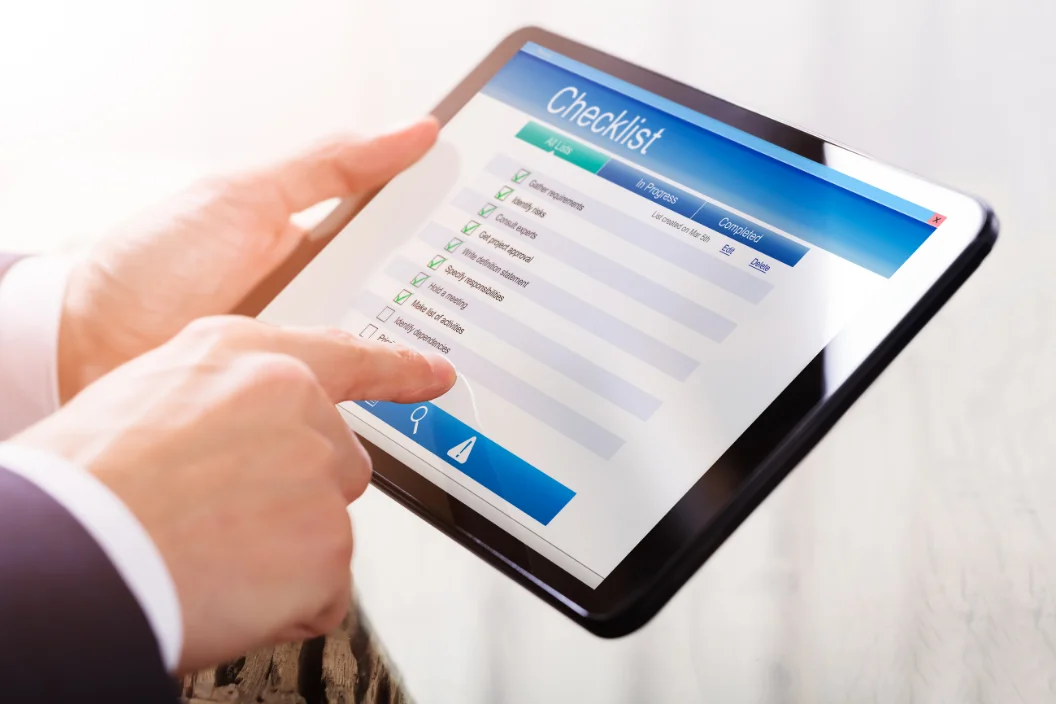
Inspeksjon, Rapportering og Sjekklister
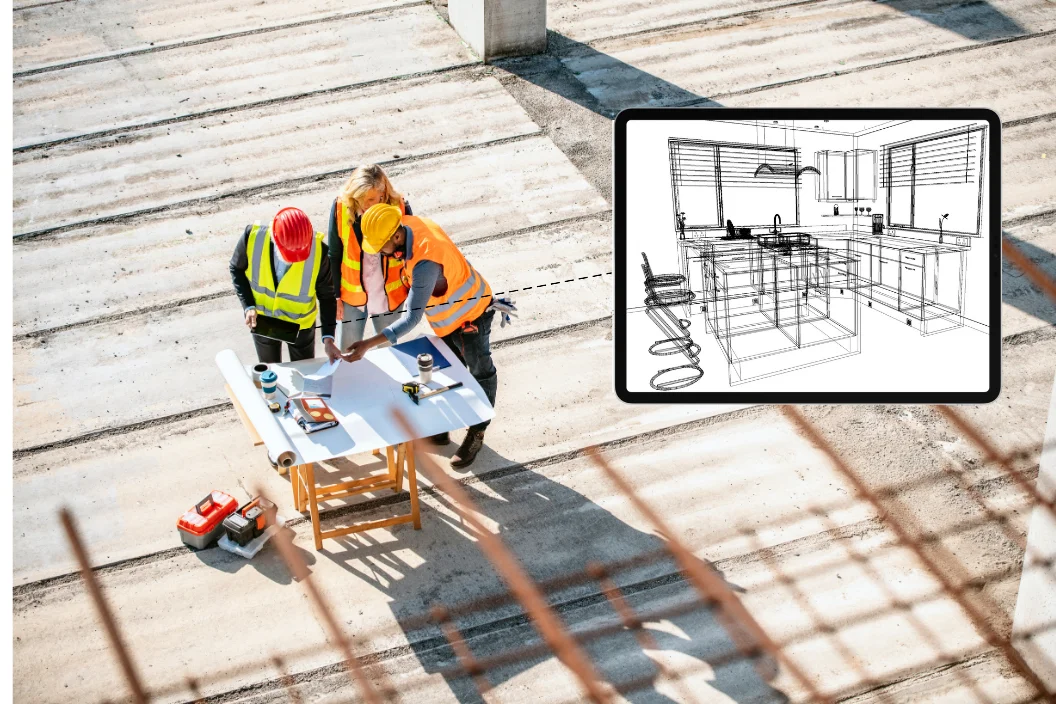
Tilgang til Tegninger, Planer og Tekniske Data
Lignende prosjekter
Oppdag flere innovative prosjekter:



Gode
Løsninger
Starter Med En SamtaleGode Løsninger Starter Med En Samtale
Vil du utforske hvordan våre tjenester kan få bedriften din til å vokse?
Skreddersydd mobilapputvikling for bygg og anlegg
Skreddersydd mobilapputvikling for bygg og anlegg tetter et kritisk gap: De fleste anleggsdata skapes ute på byggeplassen, mens de primære IT-systemene driftes på kontoret. En komprimeringskontroll som noteres på papir klokken 10:00 når ofte prosjektdatabasen først to dager senere. Innen den tid er det neste fyllingslaget som regel allerede lagt ut. Mobilapper designet direkte rundt feltarbeidsflyten fanger opp måleresultatet én gang, direkte ved kilden, og synkroniserer det umiddelbart med kontoret.
Generiske standardverktøy forutsetter stabil internettdekning og store skjermer – to forutsetninger en aktiv anleggsplass sjelden kan tilby. De påfølgende avsnittene redegjør for hva skreddersydd apputvikling innebærer i en anleggsfaglig kontekst, og viser hvordan disse verktøyene inngår i en helhetlig satsing på digital transformasjon innen bygg og anlegg. NEXATEK tilnærmer seg dette arbeidet med utgangspunkt i anleggsfaget først og programvareutviklingen deretter.
 Robuste mobilapper fanger opp anleggstekniske data direkte der det fysiske arbeidet utføres.
Hva innebærer skreddersydd mobilapputvikling i anleggssektoren?
Skreddersydd mobilapputvikling i anleggssektoren betyr at applikasjonen designes rundt ingeniørens faktiske arbeidsprosesser, fremfor at anleggsdriften må tilpasse seg et hyllevareprodukt. Utgangspunktet er alltid et fysisk fagdifferensiert dokument: en pæleprotokoll, en støpejournal eller den daglige byggedagboken. Hvert skjermbilde i appen speiler dette dokumentet direkte.
Struktur og stringens veier tyngre enn antallet funksjoner. En mobil kontrollapp viser for eksempel sjekklisten for det aktuelle kontrollpunktet (hold point), knytter automatisk bilder til posisjon og tidsstempel, og ruter oppføringen videre til ansvarlig ingeniør for formell godkjenning. Godkjenningsprosesser og brukertilganger følger nøyaktig det kontraktuelle ansvarsforholdet som allerede er etablert i prosjektet.
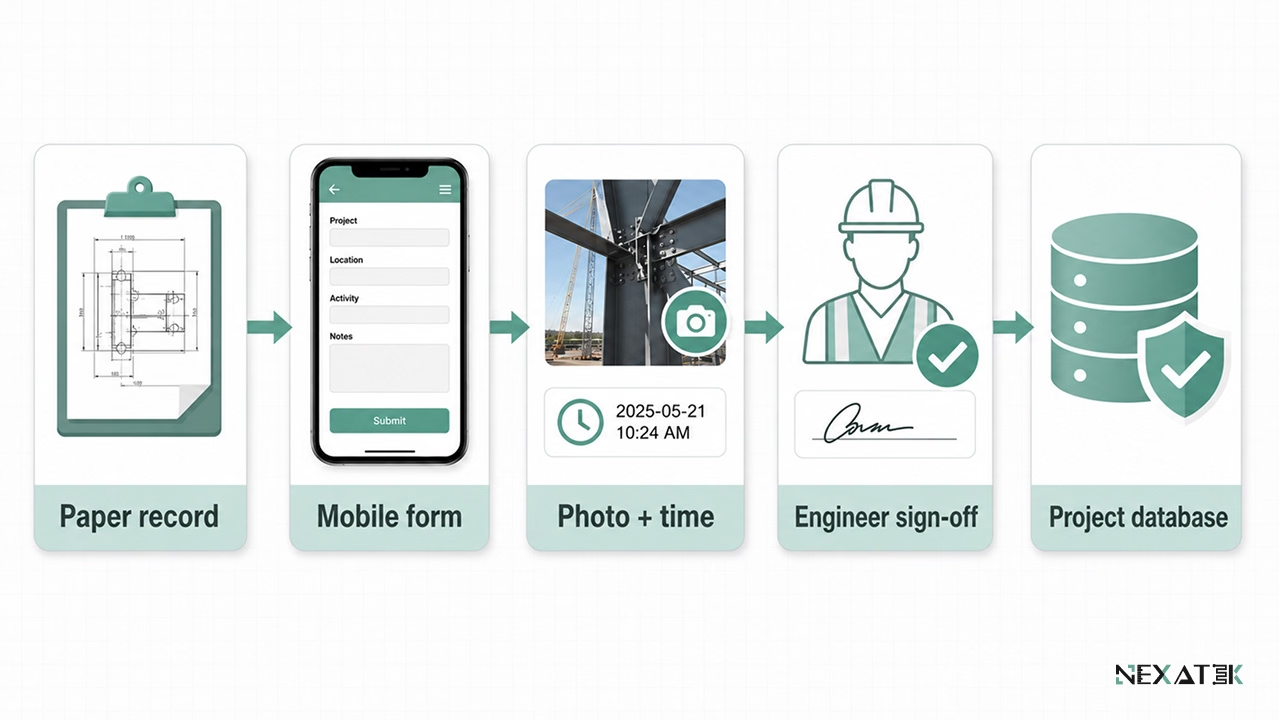 En formålstjenlig feltapp speiler først det fysiske fagdokumentet og tilfører deretter struktur, validering og godkjenningsflyt.
Også de fysiske arbeidsforholdene på anlegget former det tekniske designet: Ingeniører og fagarbeidere opererer i støv, sterkt sollys og ofte med hansker. Brukergrensesnittene krever derfor store berøringsflater og skjemaer som kan fullføres på under to minutter. Nettverkstilkoblingen behandles som ustabil som standard – noe som fundamentalt skiller disse verktøyene fra forbrukerapper som krever uavbrutt dekning.
Hvorfor anleggssektoren krever skreddersydde mobilapplikasjoner
Beslutninger på prosjektkontoret er aldri mer pålitelige enn feltdataene de bygger på. Mengdeoppgjør, avdragsnotaer, avviksrapporter og as-built-dokumentasjon har alle sitt utspring i observasjoner gjort ute på anlegget.
Feltbasert prosjektoppfølging og anleggsdrift
Hovedvekten av alle prosjektdata genereres ute ved anleggsfronten. Kontrollører inspiserer grunnforhold, formenn attesterer masser, og anleggsledere avklarer geometriske konflikter fortløpende. Papirskjemaer og uformelle chat-meldinger skaper forsinkelser og avskriftsfeil ved hver eneste overlevering.
Et strukturert mobilt skjema endrer dette mønsteret: Obligatoriske felter kan ikke omgås, måleenheter er fastlåste, og hver registrering tildeles automatisk forfatter, tidsstempel, GPS-posisjon og bildereferanse. Et registrert armeringssenteravstand på 150 mm forblir 150 mm; ingen risikerer å feiltolke en håndskrevet protokoll i ettertid.
Én gangs registrering ved kilden fjerner i tillegg unødvendig dobbeltarbeid. Etter synkronisering jobber administrasjonen direkte med originaloppføringen i stedet for å punche tall på nytt, noe som eliminerer et helt administrativt ledd fra den daglige rapporteringen.
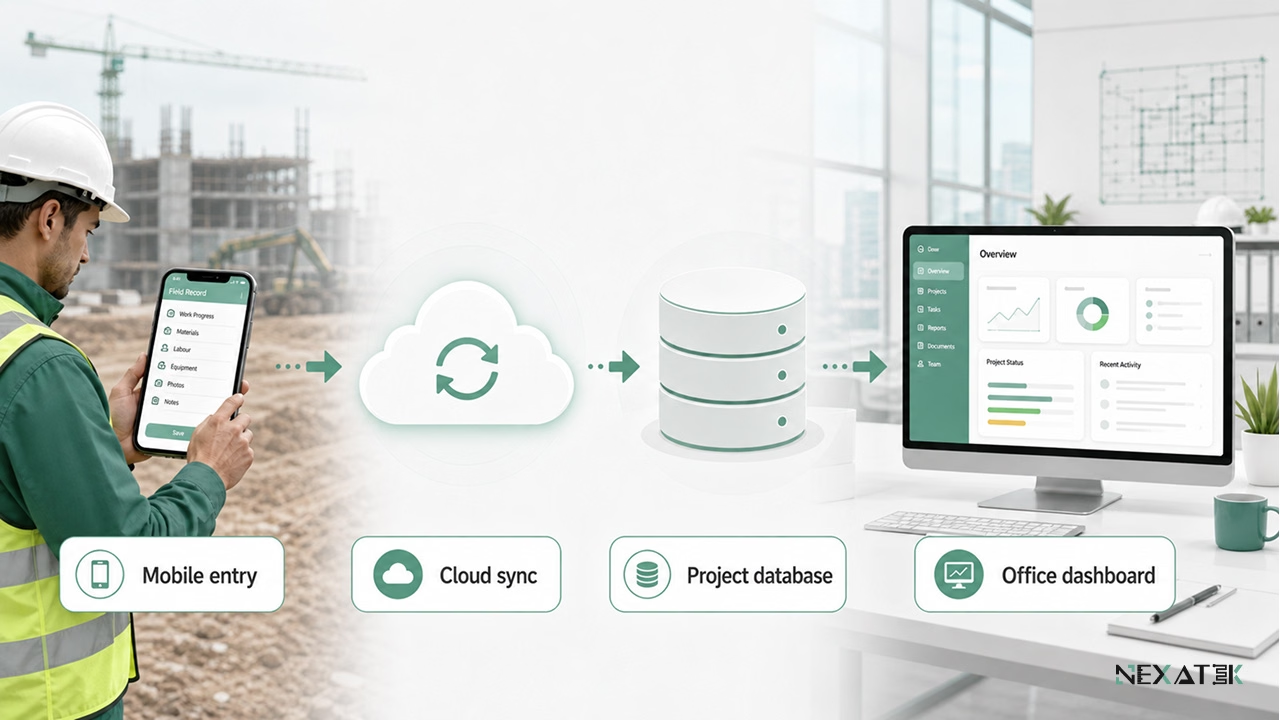
Én registrering ved kilden gjør observasjoner i felt om til strukturerte kontordata uten manuell etterregistrering.
Begrensninger ved pc-baserte verktøy og generiske mobilapper
Tradisjonell pc-programvare forutsetter stabilt nettverk og en kontorpult. Rapportering i et rent desktop-oppsett utsettes derfor gjerne til ingeniøren returnerer til brakkekontoret – ofte mange timer etter at observasjonen ble gjort. I dette tidsrommet forvitrer viktige detaljer.
Generiske mobilapper skaper andre utfordringer: De forminsker komplekse pc-menyer ned til en liten mobilskjerm. Å logge en enkel observasjon kan kreve åtte trykk gjennom dype underliggende menyer. Samtidig inneholder skjemaene felter prosjektet aldri har bruk for, mens kritiske anleggstekniske data – som en spesifikk betongreseptkode – mangler helt.
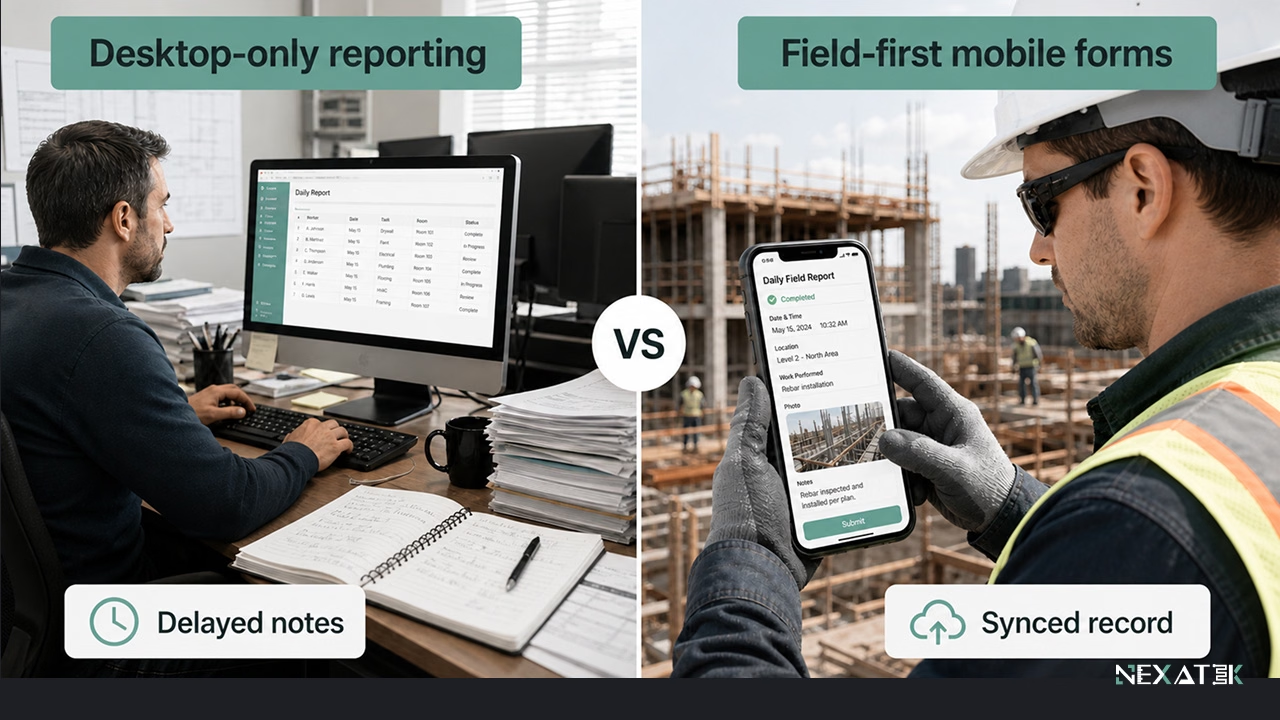 Feltoptimaliserte skjemaer kutter rapporteringsforsinkelser ved å fange opp observasjonen før detaljene går tapt.
Kjernefunksjoner i mobile anleggsapplikasjoner
Fire kjernefunksjoner ivaretar størstedelen av behovene i anleggsdriften. Hver av dem erstatter en manuell rutine som i dag beslaglegger verdifull tid for feltpersonellet.
Datainnsamling i felt og byggedagbøker
Apper for datainnsamling i felt fanger målinger direkte der arbeidet skjer: prøveverdier, materialtilstand, værforhold og fremdriftsstatus. Bilder knyttes automatisk opp med posisjonsdata og tid, slik at en underkjent komprimeringstest dokumenterer seg selv.
Ensartethet på tvers av arbeidslag er den andre store gevinsten. Når samtlige lag benytter samme digitale formular, kan månedlige masser aggregeres uten tidkrevende datavask, og oppføringene danner en søkbar historikk over hele anleggets levetid.
Kontroller, rapportering og sjekklister
Sjekklister gjør byggeplasskontroller til standardiserte, etterprøvbare rutiner. Appen leder kontrolløren sekvensielt gjennom kriteriene, sperrer for fullføring før obligatoriske punkter er kvittert ut, og lagrer kontrollrapporten direkte mot det aktuelle bygningsdelnummeret eller stikningsprofilet.
Rapportgenereringen skjer umiddelbart etter fullført kontroll. En armeringskontroll som godkjennes kl. 14:30 i felt, kan oversendes prosjektledelsen som en formatert PDF-rapport samme ettermiddag – i stedet for som en uleselig papirskanning to dager senere.
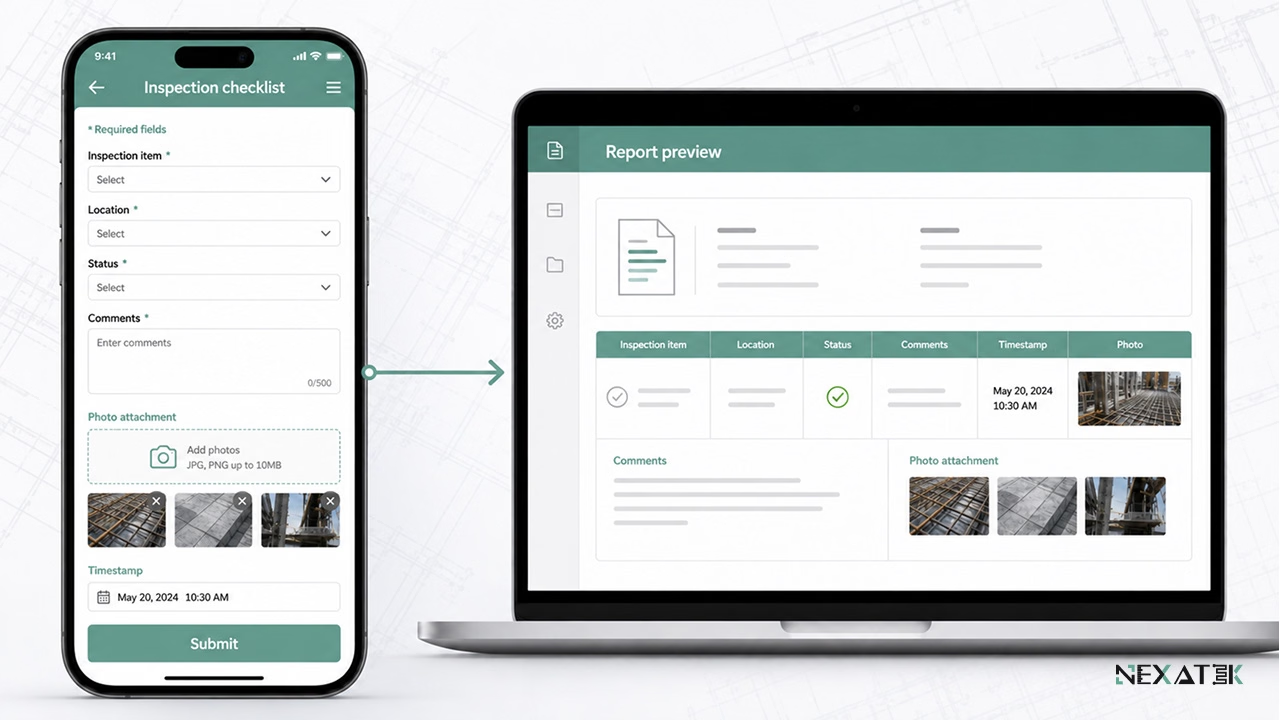 Mobile sjekklister samler kontrollpunkter, fotodokumentasjon, tidsstempler og ferdige rapporter i én strukturert oppføring.
Tilgang til tegninger, modeller og teknisk underlag
Å bygge etter en utgått tegningsrevisjon er en av de mest kostbare feilkildene på en byggeplass. Mobil tilgang til godkjente dokumenter reduserer denne risikoen ved utelukkende å tilgjengeliggjøre den gjeldende revisjonen; eldre versjoner forblir tilgjengelige i historikken, men er utvetydig merket som utgåtte.
Dokumentkontrollen ivaretas sentralt: Anleggspersonellet leser godkjente arbeidstegninger og arbeidsbeskrivelser i felt, mens endringer kontrolleres strengt gjennom det etablerte dokumentstyringssystemet.
Kommunikasjon mellom anleggsplass og prosjektkontor
Oppgaveorientert kommunikasjon overgår ustrukturerte chat-grupper. Når en teknisk avklaring rundt en pælehatt er direkte knyttet til den aktuelle kontrollrapporten og bildene fra felt, ser rådgivende ingeniør på kontoret hele sammenhengen med én gang.
Prosjekterende team følger de samme sakstrådene via nettbaserte ingeniørverktøy, slik at den tekniske forespørselen fra anlegget og det formelle svaret forblir arkivert på ett felles sted.
Skreddersydde mobilapper vs. generiske byggapper
Funksjonslister får ofte standardiserte byggeapper til å se komplette ut på papiret. Det reelle vurderingskriteriet for skreddersydd apputvikling innen anleggsfagene er imidlertid prosessuelt samsvar: hvor presist datamodellen matcher måten prosjektet faktisk måler, kontrollerer og rapporterer driften på.
Begrensninger ved standardiserte universalløsninger
Standardiserte apper henvender seg til et bredt massemarked, noe som betyr at skjemaene deres kun kan tilpasses innenfor rigide maler. Et anleggsteam som må loggføre restfuktighet i en betongoverflate før påføring av membran, opplever ofte at det ikke finnes noe dedikert felt for denne målingen.
Dette skaper terminologiske avvik. Når datamodellen mangler prosjektets etablerte koder for konstruksjonsdeler og prøvingskategorier, tyr mannskapet til fritekst og parallelle regneark. Dermed forvitrer datakvaliteten i de sentrale registrene, nettopp der presisjon er mest påkrevd.
Fordeler med apper skreddersydd for anleggsfaglige prosesser
Formålsbygde apper tar utgangspunkt i prosjektets egne styringsdokumenter: kontrollplaner, mengdelister, prøvingsprosedyrer og etablerte fagtermer. Feltdata overføres direkte til sentrale prosjektdatabaser, i nøyaktig den strukturen kontoret allerede anvender.
Tilpasningsevne er den andre store fordelen. Dersom byggherren innfører nye rapporteringskrav eller et utvidet kontrollprogram kreves, tilpasses appen kravet direkte uten at man tvinges ut i administrative omveier.
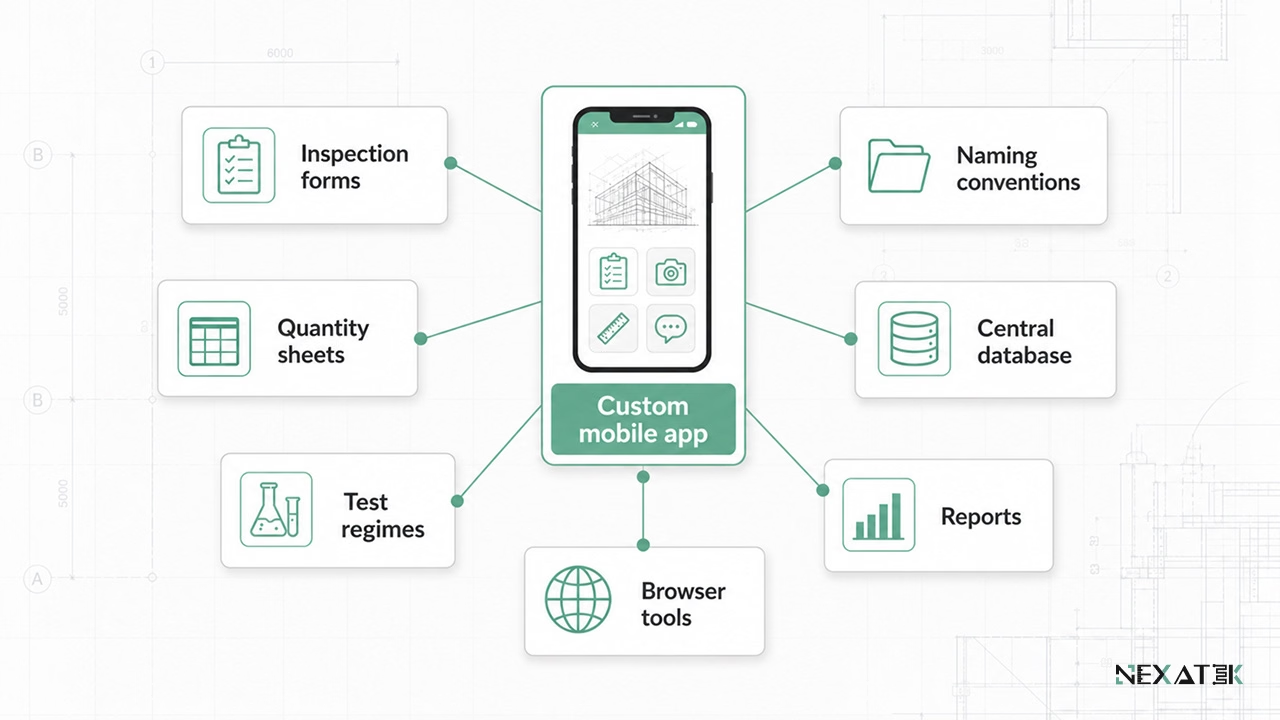 Skreddersydde mobilapper holder feltdata fullstendig samkjørt med prosjektets egne skjemaer, termer, rapporter og databaser.
Designmessige forutsetninger for mobile anleggsapper
Valgene som tas på tegnebordet før utviklingen starter, avgjør om en feltapp blir en suksess eller forkastes ute på anlegget. Tre tekniske hensyn dominerer resultatet.
Frakoblet drift (offline) og datasynkronisering
Nettdekningen svikter uunngåelig i kritiske situasjoner – inne i tunneler, i dype sjakter eller i avsidesliggende fjellområder. Frakoblede anleggsapplikasjoner betrakter nettilgang som en sekundær egenskap: Alle data lagres lokalt på enheten først. Synkronisering iverksettes automatisk straks dekning oppstår, hvorpå ventende data lastes opp til skyen og oppdaterte arbeidsgrunnlag lastes ned.
Datakonflikter krever entydige regler: Dersom to kontrollører redigerer samme kontrollpunkt offline, varsler skyløsningen om kollisjonen og bevarer begge versjoner, i stedet for å overskrive data i det skjulte.
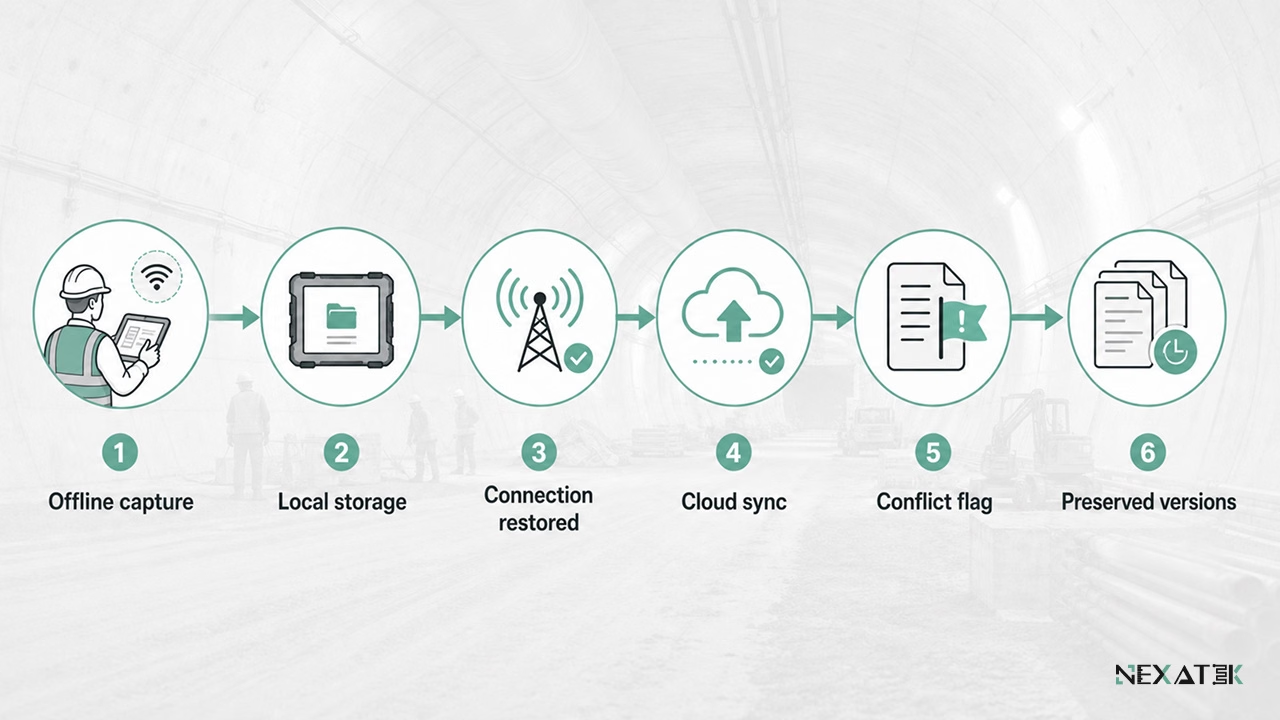 En offline-first arkitektur sikrer anleggsdata selv når mobildekningen er ustabil eller helt utilgjengelig.
Brukervennlighet for ingeniører og anleggsarbeidere
Brukergruppen på anlegget spenner fra ferske ingeniører til erfarne formenn med begrenset digital erfaring. En app fungerer i dette miljøet når hvert skjermbilde har én klart avgrenset funksjon, og valideringsregler fanger opp feil idet de tastes inn.
Opplæringsbehovet er den praktiske syretesten: Et digitalt skjema som følger den kjente sjekklisten på papir, kan innføres på et kort verktøymøte (toolbox talk). Nye, abstrakte strukturer krever uker med kursing og inviterer til uformelle omveier.
Datakvalitet og versjonskonsistens
Presisjon starter i registreringsøyeblikket: Obligatoriske felter, faste enheter, definerte arbeidsrekkefølger og rimelighetskontroller stopper feil ved roten. Et synkmål som tastes inn som 700 mm i stedet for 70 mm utløser en umiddelbar advarsel fremfor å passere ubemerket inn i kvalitetsrapporten.
Versjonskontroll ivaretar historikken etterpå: Hver endring logges med forfatter, og hver tegning bærer sin revisjonsbokstav, slik at prosjektorganisasjonen kan dokumentere nøyaktig hvem som registrerte hva og når – også mange år etter ferdigstillelse.
Bruksområder i byggenæringens verdikjede
Feltapper utformes ulikt avhengig av hvilken aktør som drifter dem. Tre bruksmønstre går igjen blant de anleggsvirksomhetene NEXATEK samarbeider med.
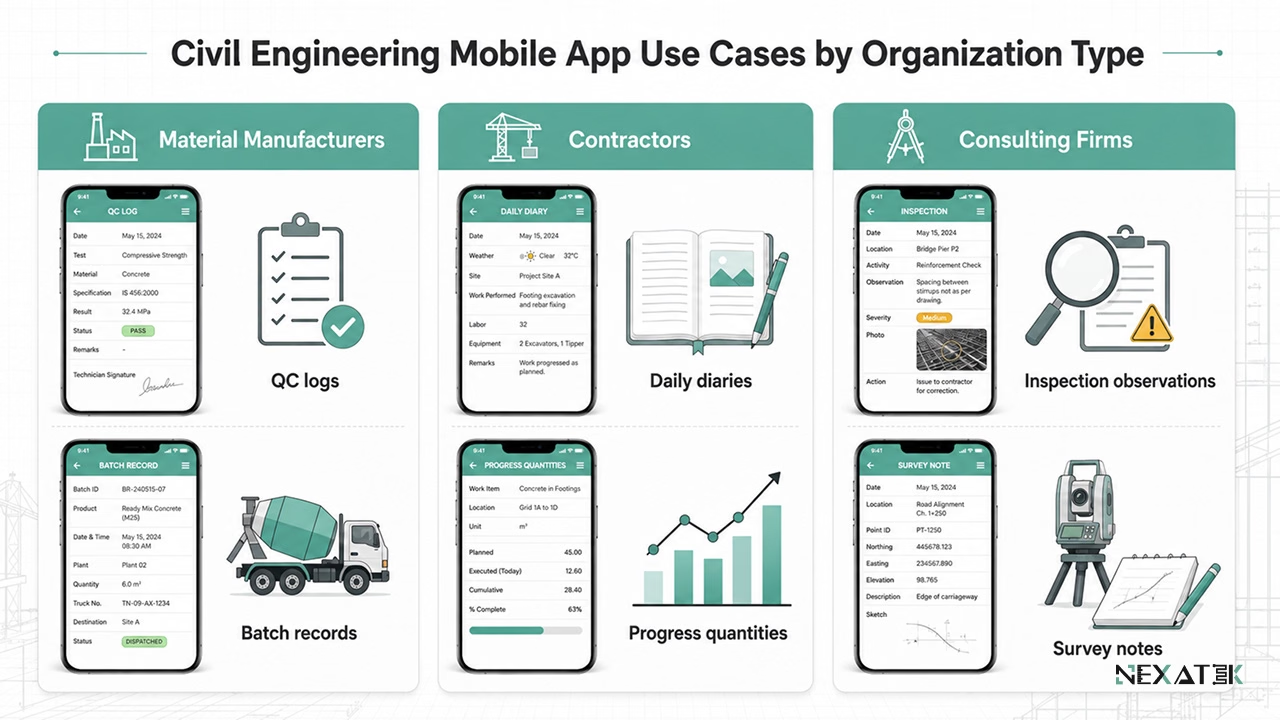 Ulike fagmiljøer i anleggsbransjen benytter mobile apper til ulike registreringsformål – fellesnevneren er strukturert datafangst ved kilden.
Materialprodusenter og montasjekontroll
Materialprodusenter er avhengige av korrekt utførelse på byggeplass for å innfri garantiansvar. En mobil kvalitetskontrollapp dokumenterer overflatetemperatur, batchnumre, monteringsforhold og avvik under installasjon. Dette sikrer at teknisk kundestøtte kan respondere ut fra faktiske måledata snarere enn omtrentlige forklaringer.
Også produksjonen i fabrikk drar nytte av metoden: Inne i elementfabrikken understøtter mobil datainnsamling blandeprotokoller og sluttkontroller før transport, ofte integrert i et bredere program for arbeidsflytautomatisering.
Entreprenører og anleggsvirksomheter
Entreprenører samordner en rekke arbeidslag og underentreprenører på aktive anleggsplasser. Byggedagbøker, produksjonsmasser, avvikslister og underentreprenøroppfølging registreres mobilt og synkroniseres direkte inn i de virksomhetssystemene for anleggssektoren hovedkontoret benytter.
Anleggsledere og formenn sparer verdifull tid ved skiftets slutt: En digital byggedagbok som genereres automatisk fra registreringer gjort gjennom dagen, erstatter tre kvarters manuelt skrivearbeid på brakken hver kveld.
Rådgivende ingeniørselskaper
Rådgivende ingeniørselskaper deler arbeidsuken mellom inspeksjoner i felt og beregninger på kontoret. Strukturert registrering under befaringer korter ned saksbehandlingstiden vesentlig: observasjoner ankommer ferdig sortert med posisjon og bildereferanser, klare for direkte innarbeidelse i tilstandsrapporten.
NEXATEK utvikler disse applikasjonene ved å sette anleggsingeniører og programvareutviklere i samme team, slik at datamodellen matcher den fysiske anleggshverdagen fra første prototype.